

End of Day Tip: Don't Forget to Close XLDent!
Sep 08, 2026
Heading out for the day? Make sure every XLDent window is fully closed — Menu, Chart, Appointment Book, and Time Clock included.
Leaving windows open can lead to errors like access violations, data set messages or refresh issues the next morning.
Office Closure: Labor Day
Sep 02, 2026
XLDent will be closed Monday, September 7 in observance of the Labor Day Holiday. Regular business hours will resume on the next business day.
The XLDent Team wishes you a happy holiday.
Your e-prescribing interface is getting an update
Aug 21, 2026Starting this week, you'll see a refreshed look, aligned with updated federal e-prescribing standards (NCPDP). Your workflow stays the same — this is a modernization, not an overhaul.
New features include bulk prescribing, order sets, prescription drafts, an automated Sig builder, pharmacy alerts, affordability messaging, and auto-initiated prior authorization.
Bottom line: same trusted prescribing tools, now faster, smarter, and built to support better patient care.
Look for the yellow question mark after you log in for a guided walkthrough.
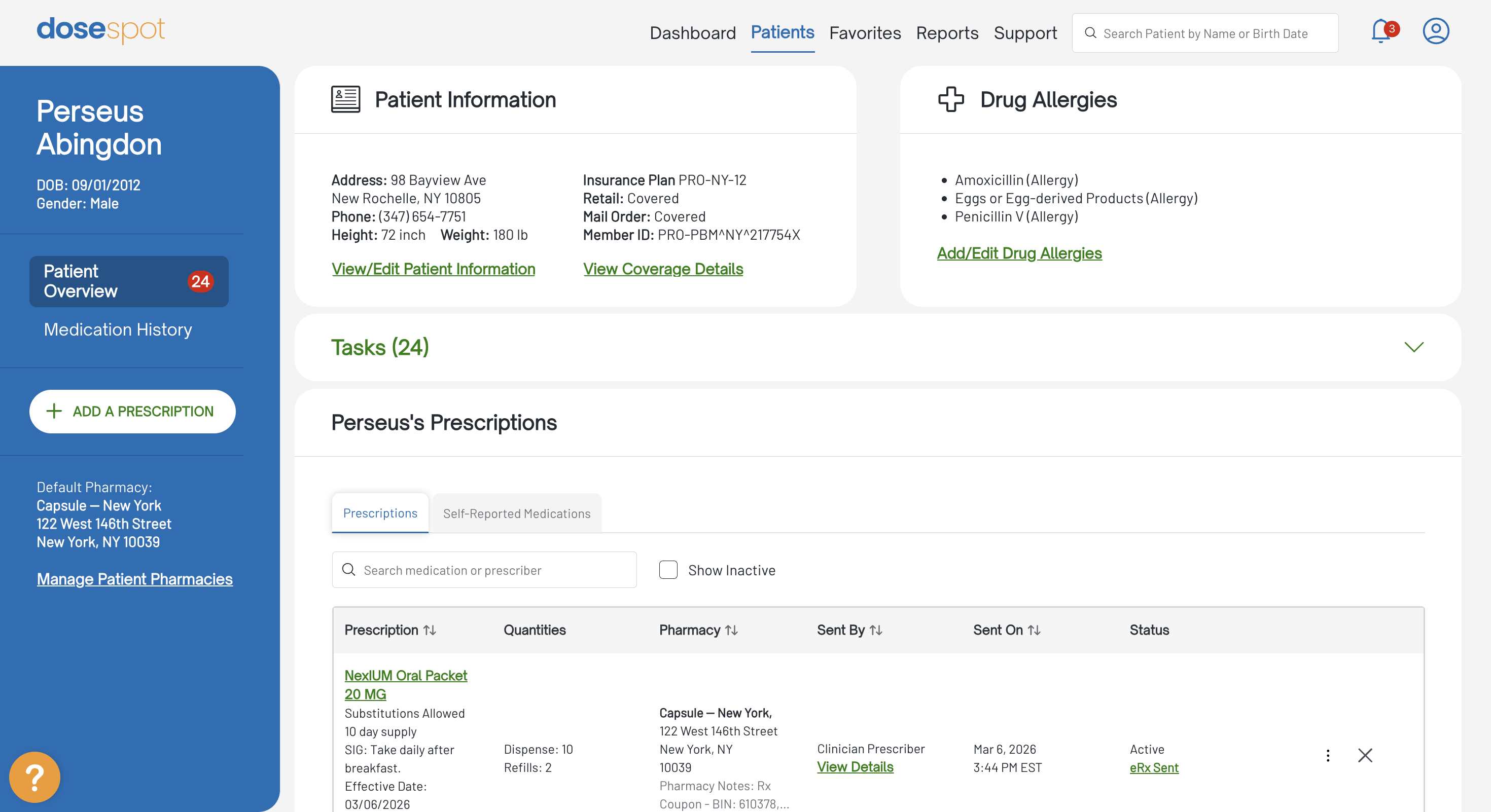
Not currently using e-prescribing in your practice? Contact us to learn more.
A look at integrated payments
Aug 17, 2026
If you've been weighing integrated payments, the window to compare your costs against XLPay under our Meet or Beat rate offer is closing September 30, 2026.
A quick comparison shows how payments processed and posted inside XLDent could fit your current workflow, alongside scheduling, treatment, and reporting. Seeing it against your own setup is the clearest way to decide.
--> Request a personalized look at XLPay
Offer valid for new XLPay enrollments only. Meet or Beat rate offer with interchange-plus (IC+) preferred pricing. Requires comparison of three months of recent processing statements. Sign up by September 30, 2026.
XLDent Newsletter: Stay up to date with what's new in XLDent
Aug 10, 2026
This quarter’s newsletter covers Version 19.6.0.307, including a demo video that shows where the latest enhancements appear in the workflows your team already uses. You’ll also find a practical hardware and server readiness reminder tied to the January 12, 2027 end of extended support for Windows Server 2016.
The newsletter also introduces Trinity on the XLDent support line, highlights Clara for call handling and scheduling, outlines billing support available through MP Business Services, and shares the “Stay Supported” article on hardware and software readiness.
Hardware readiness for Windows Server 2016
Aug 06, 2026
Microsoft Windows Server 2016 extended support ends January 12, 2027. If your practice is running Server 2016, keep your environment details close as you begin planning with your IT provider.
Helpful details include the server OS, server age, workstation condition, XLDent update status, backup approach, and preferred timing for any changes. Having this information ready can reduce guesswork when support or troubleshooting questions come up.
Know Your Server Details
Jul 22, 2026
Server planning starts with knowing what is currently in place. Before changes become time-sensitive, it is helpful to confirm your server operating system, approximate server age, XLDent version, and the IT provider or contact who helps manage your environment.
This does not need to be a full technical project. A simple inventory gives your office a clearer starting point for update planning, workstation questions, backup timing, and future support conversations.
Payments, handled inside XLDent
Jul 20, 2026
When payment processing runs outside your practice system, checkout and posting tend to turn into extra steps and later cleanup. With XLPay, payments are processed and posted to the correct patient account inside XLDent, so your front desk and billing team stay in one workflow.
Right now we're offering a Meet or Beat rate offer with preferred pricing. Send three months of recent processing statements and we'll compare them against XLPay.
-- Get your free rate comparison
Offer valid for new XLPay enrollments only. Meet or Beat rate offer with interchange-plus (IC+) preferred pricing. Requires comparison of three months of recent processing statements. Sign up by September 30, 2026.
Have a Question? Give Support Chat a Try.
Jul 15, 2026
Start a support chat anytime! Open it from the bottom-right corner of any page on the XLDent website.
Our AI assistant answers right away, and if it doesn't have the answer, a live member of our support team steps in.
Chat is one option, not the only one — you can also open a ticket through Hub, email us, or call.
When you do, your spot in the queue is reserved. Use whichever works best for you.
Review workstation and server readiness
Jul 08, 2026
Everyday XLDent performance depends on more than one piece of technology. The workstation at checkout, the clinical computer used for charting, the server, and the current XLDent version all contribute to the team’s daily experience.
If one workstation is consistently slower, or the same access issue keeps returning, take note of where it happens and which tasks are affected.
Identifying older computers and server hardware before they become recurring trouble spots can help your office plan next steps, reduce avoidable downtime, and support more consistent daily performance.


Automates key business processes to help you manage your practice more profitably and efficiently.


An innovative treatment Chart which allows for all information to be displayed on one screen for easy viewing.


Stores images from any digital imaging device and integrates them seamlessly to each patient's chart.


Facilitates unattended patient check in and forms completion via a Tablet PC.


Patient and Doctor Portals provide secure internet-based access to the information they want, when they want it.


Interoffice communication finally made simple with instant messaging.


This flexible, easy to use program tracks employee hours effortlessly. Simple to install on one or multiple computers.


All eSolutions are directly integrated with your XLDent Suite to improve workflow, accuracy, and eliminate redundant entry.
Getting Started


nEWS & aNNOUNCEMENTS view blog